Continuing with my love affair with the iPad, especially during this time of lockdowns and staying safe at home, I have been trying to find ways to occupy myself and keep myself busy at home.
One of the things I’ve decided to do is sign up for available free courses online, and if I like it enough, I will pay for the certificate.
I have been trying to find the right setup for me for a while now, and I think I finally found the right mix, and I’m sure a lot of students who are also currently on a home-based learning can find something to apply to their study routine during this “new normal”, so here goes:
The Hardware
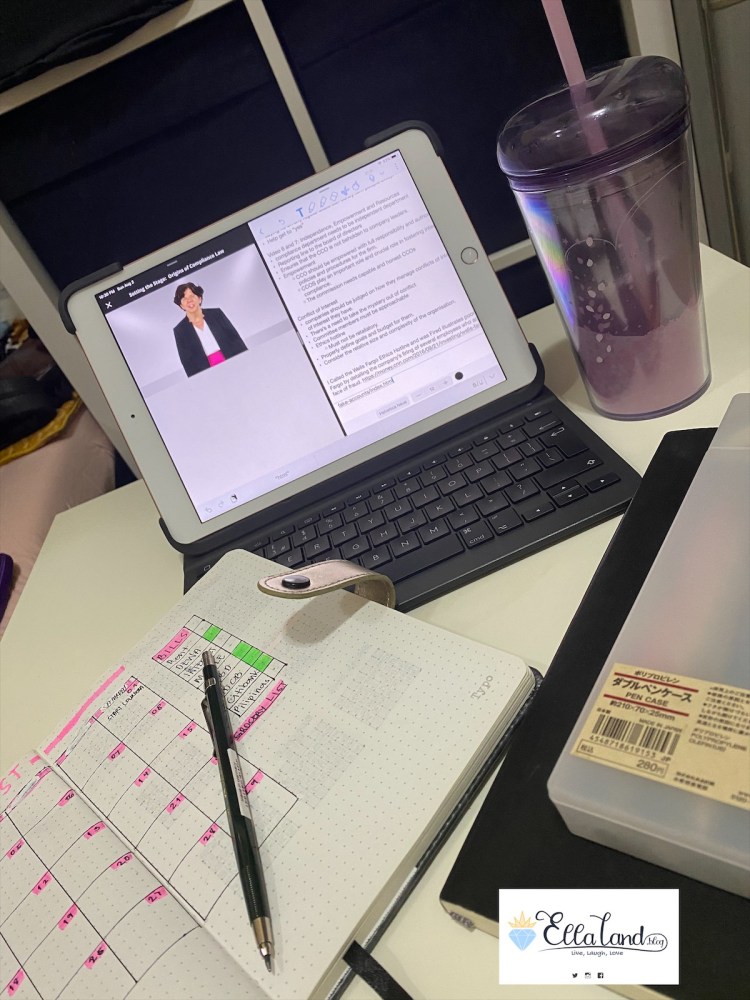
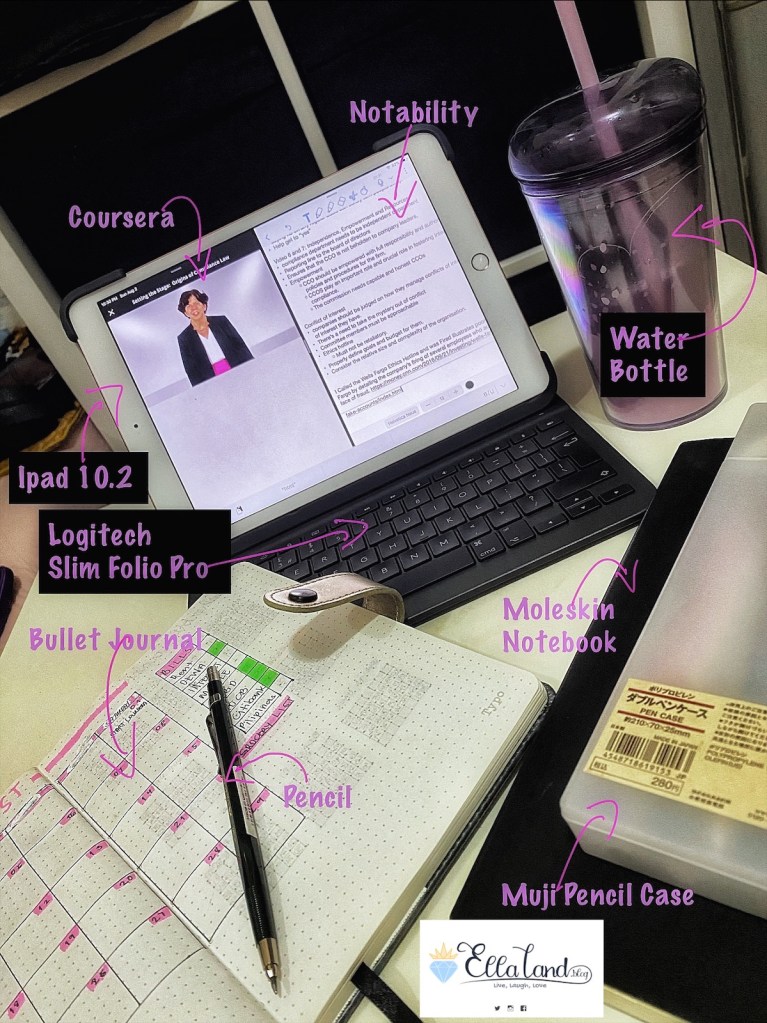
- Tablet – I use the 7th Generation iPad 10.2 inches, 128 GB, WiFi Only version (the “Regular iPad”) like shown here in the photo, which is the more budget-friendly alternative, but I sometimes alternate from this to my 2020 11” iPad Pro, 512 GB, WiFi + LTE (the “iPad Pro”). For this set up, you don’t need the iPad Pro, all you need is a tablet that supports a split screen, the Notability App, and a stylus.
- Keyboard Case – I use the Logitech Slim Folio Pro Keyboard which was originally made for the 2018 iPad Pro, but hey, it works with the Regular iPad and I’m not one to complain. You can use any old keyboard that would connect to your tablet, either via smart connectors, Bluetooth or USB dongles.
- Stylus – Apple Pencil (not shown, because I forgot), but this is optional too.
You would notice that I did not include a headphone or headset in this set up. This is intentional because I need to be able to record the lecture while taking notes.
The Software:
- Online Learning App – Right now I am using Coursera but I am also signed up with EDX and Udemy. It’s the same principle. You can use any online learning app you are subscribed with.
- Note taking App – I would highly recommend Notability for one unique feature – the recording feature, which has proven to be indispensable for me.
- Calendar App – Optional, but I prefer to do this so that I can be reminded of my classes, otherwise i will forget about it, as this is a free course and the only motivation I have to keep on going is my personal willingness to learn (which has been sidetracked on more occasions than I am willing to admit).
Analog Things (ALL OPTIONAL)
- Water Bottle
- BuJo – I use a Typo dotted-grid notebook that I have converted into a BuJo
- Notebook – Where I can jot down notes that I have, especially important concepts that I need. My notebook brand of choice is, and always will be a moleskin. There’s just something in its whole aesthetic thatI am obsessed with.
- Pencil Case – usually has the things I need for my BuJo. Stay tuned for the BuJo post!
So I keep a few things next to me that helps me focus, but these are all optional. The notebooks can be replaced by the tablet and pencil. The water bottle is only there in case I get thirsty.
The Set Up
So I normally set up my iPad with the split screen, where one half would be then online learning app, this time, it’s Coursera, and my note-taking app on the other side.
As I think I mentioned previously, I have always preferred GoodNotes5 against Notability and I have always regretted purchasing notability. But ever since this whole home-based learning, I have preferred the Notability App.
What I like about it is that it supports note-taking via typing more intuitively than GoodNotes. It’s a lot easier to type along the lectures using Notability.
Also, Notability has a recording function that allows me to record the audio of the lectures while I type, and when I go back to my notes and play the audio recording, Notability will point me to the things I was typing as the lecture goes on, which is a pretty nifty feature, if I may say so myself. And this is why, I do not use my headset when taking the online courses. It can be handy I suppose , when reviewing the notes I made.
I also use the Apple Pencil to annotate the required readings that the online professors list for us, but honestly, this is optional.
So there you have it, my home-based Learning iPad setup. Are you taking any sort of courses during this lockdown? What’s your setup? Let me know! Until then,
Stay Wild, Moon Child!
XXOO, The Geek
 EllaLand